Blue Team Labs Online - Mon

As a SOC Analyst you need to deal with a lot of logs. Your Senior assigned you the task of creating a new detection rule for a malware he created.
Incident Response
Tags: Sysmon Notepad++ T1071.001 T1053.005
Scenario As a SOC Analyst you need to deal with a lot of logs. Your Senior assigned you the task of creating a new detection rule for a malware he created.
He provided you with the malware sample and a config file to setup, experiment, and extract the relevant logs to create a detection rule.
Good Luck!
Environment Awareness
Evidence & Tool Discovery
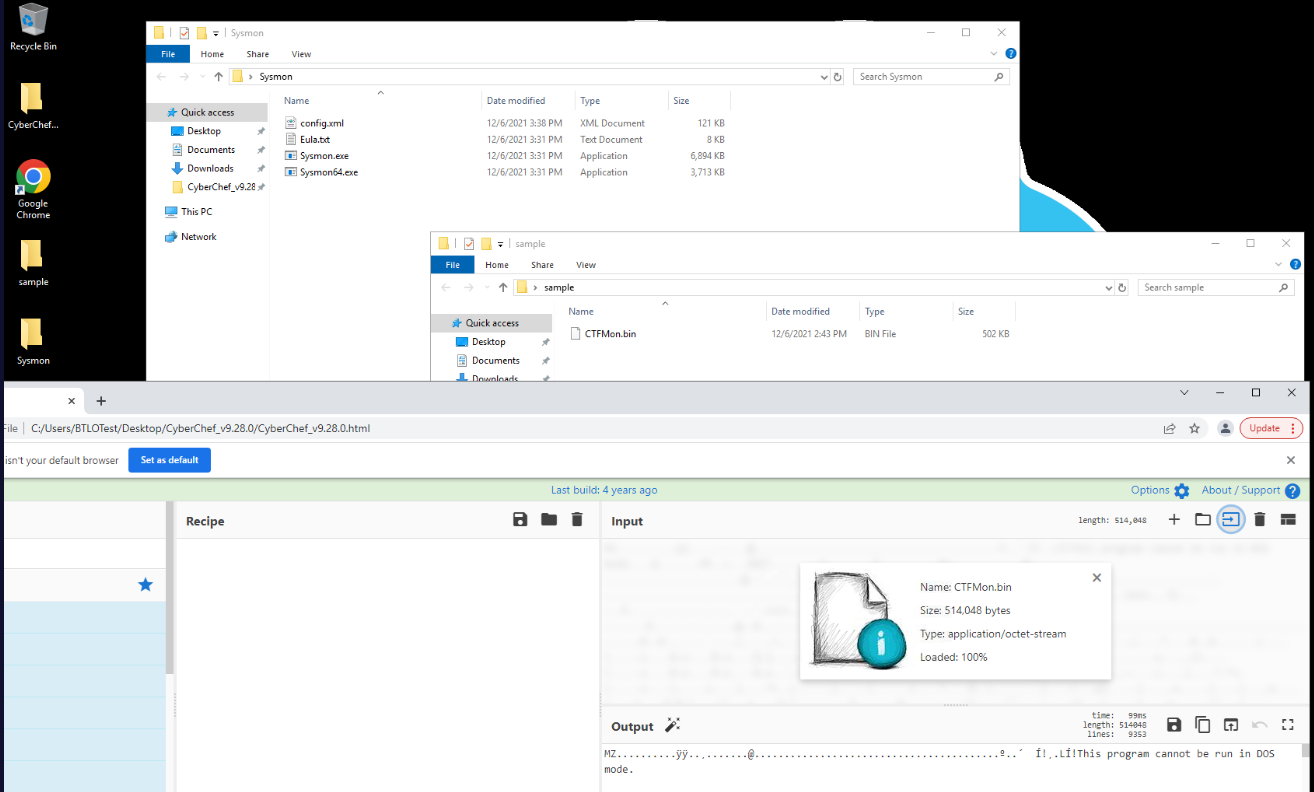
We have a PE32 executable sample of a malware within sample folder located on the desktop and we have sysmon and CyberChef available on this machine which mean we will have to install sysmon and detonate malware to find out what happened after.
Tool Preparation
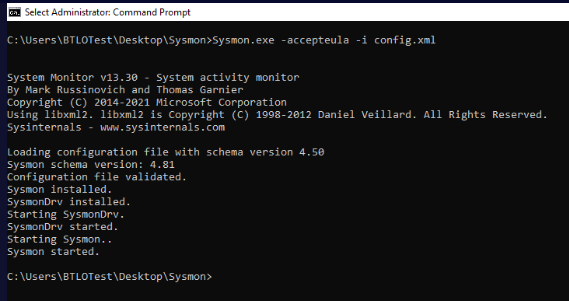
To install sysmon, we can use Sysmon.exe -accepteula -i config.xml that will install a sysmon including its driver with configuration from config.xml and the reason why I used -accepteula because all tools from SysInternals could not be used if we did not accept EULA, we can install this without this flag which a new pop up will prompt you to accept EULA anyway.
Now Sysmon is installed, no need to restart and we can open Event Viewer then go to "Applications and Services" -> "Microsoft" -> "Windows" -> "Sysmon"
Investigation
Q1) After initial execution, what is the Parent Process Name observed for the provided sample? (Format: ParentProcessName.ext)
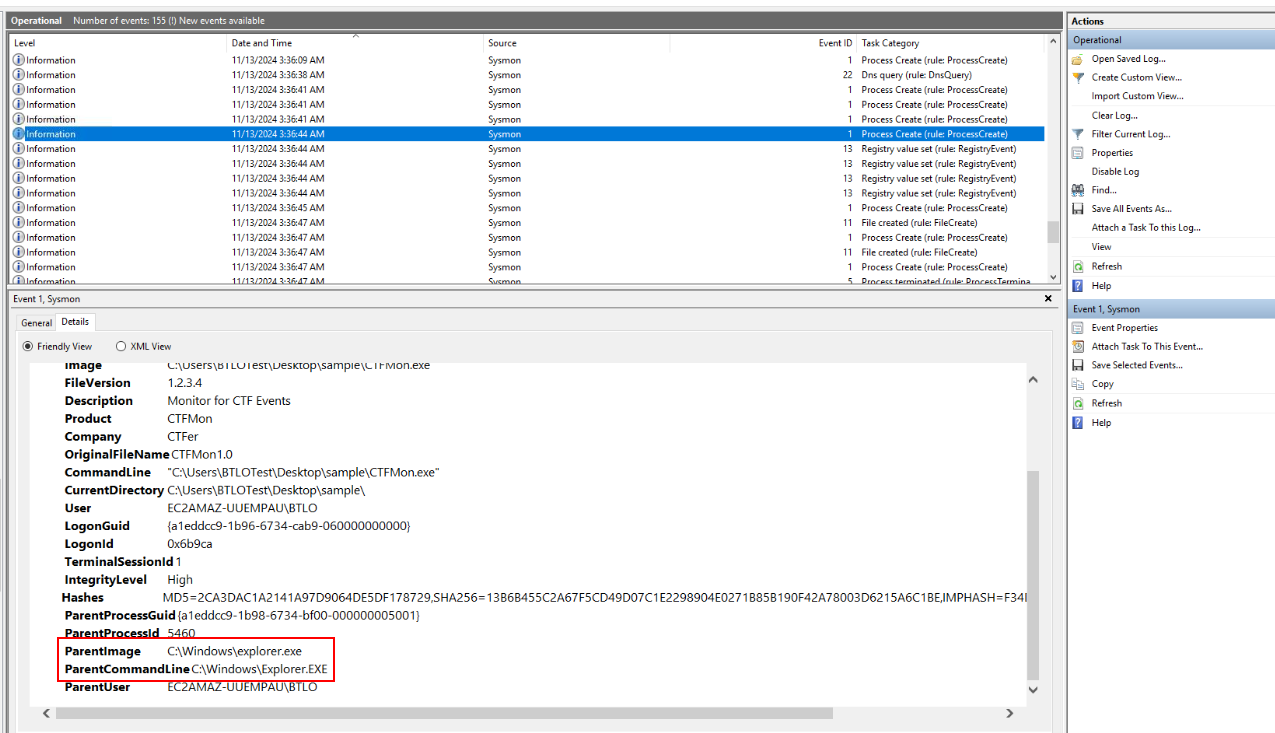
After renaming a file extension to exe then executed it, we can see that this process was created as a child process of explorer.exe which is normal for user execution so if we find any suspicious process as a child process of explorer.exe, then it could mean the user executed that file or explorer.exe was injected by malicious process.
Answer
Explorer.EXEQ2) What is the domain used for command-and-control by the malware sample? (Format: domain.tld)
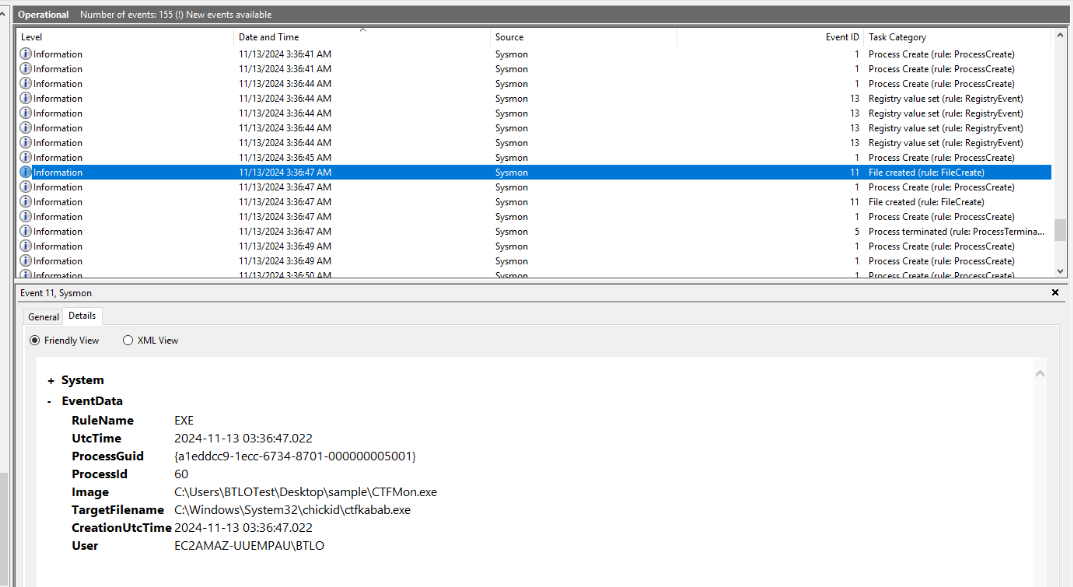
After malware was executed, we can see that there is a new file created in C:\Windows\System32\chickid
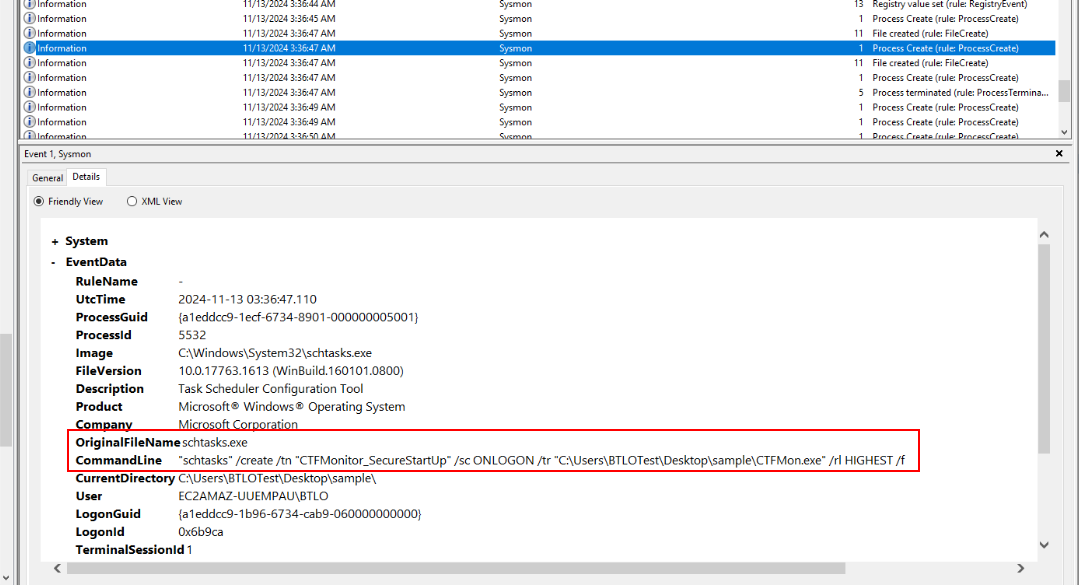
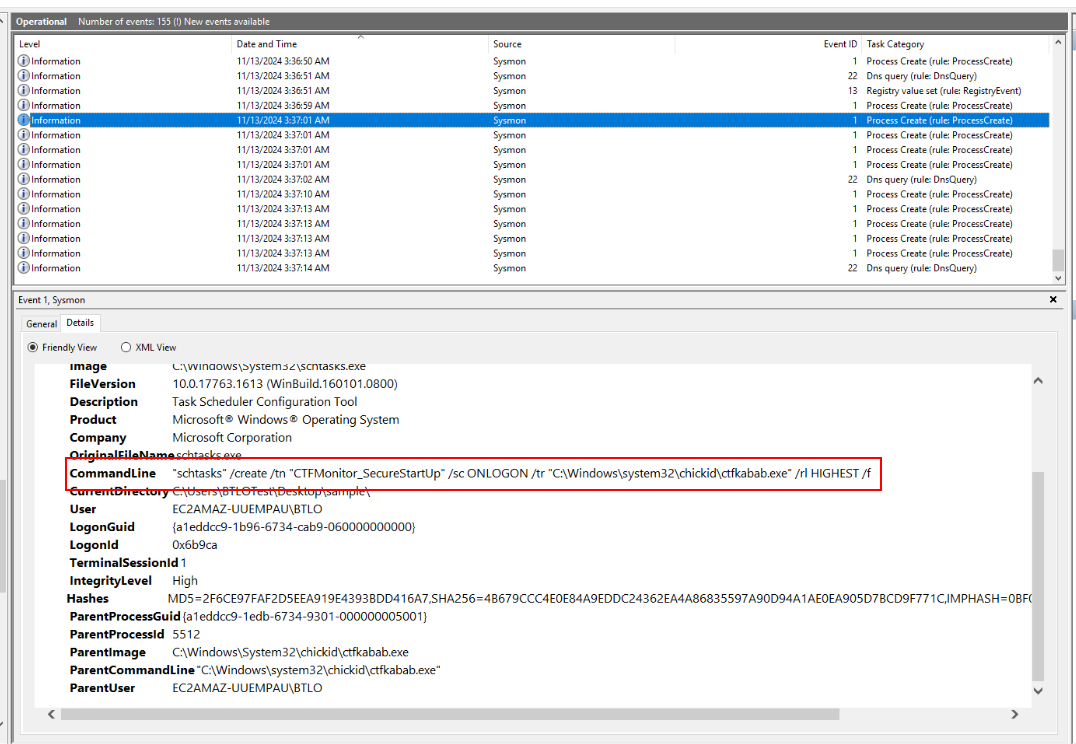
Then a schedule task was created to maintain persistence which will start the executable file that was just created every logon event by any user (Q5-6)
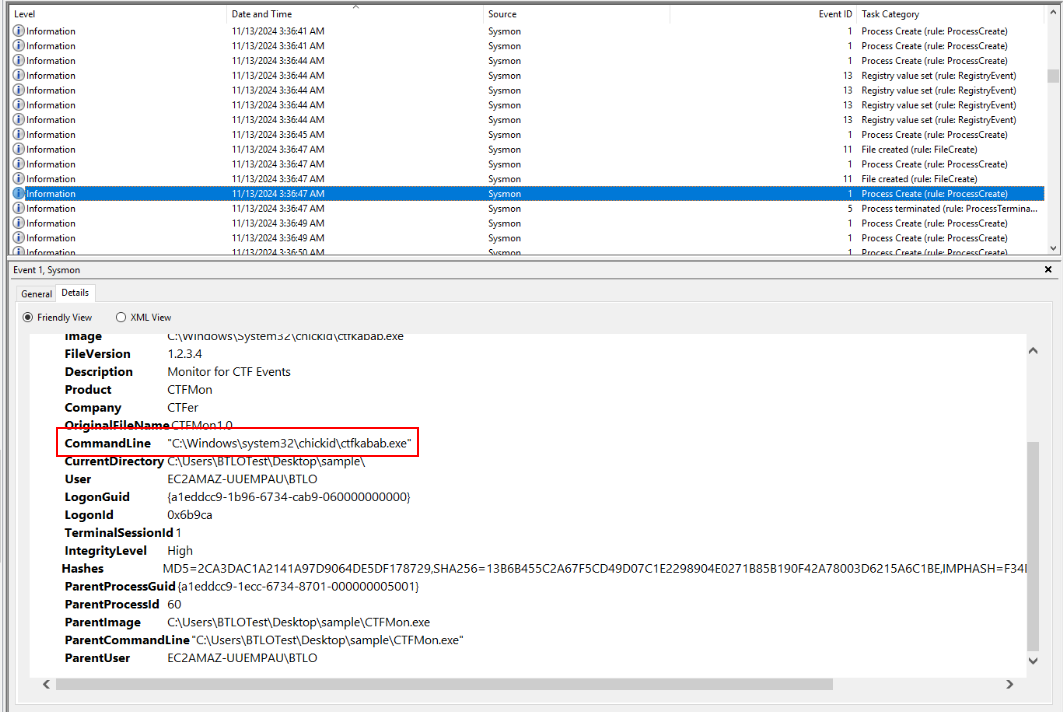
Then that executable was executed.
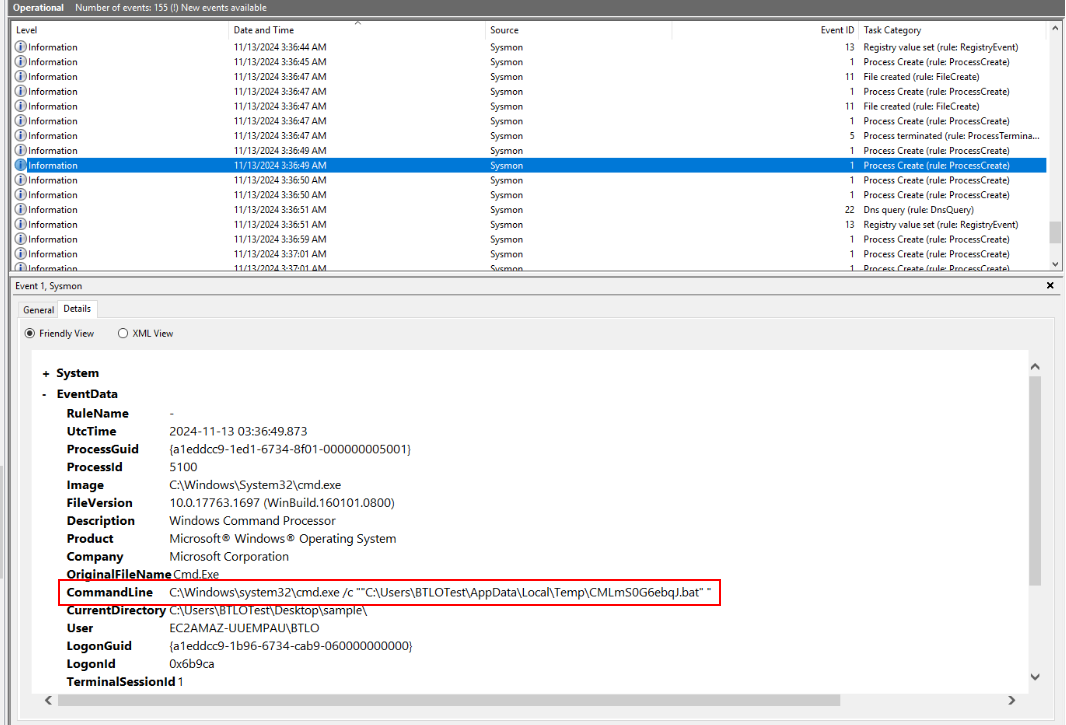
a suspicious bat file was also created on user's temp folder and executed via cmd.exe
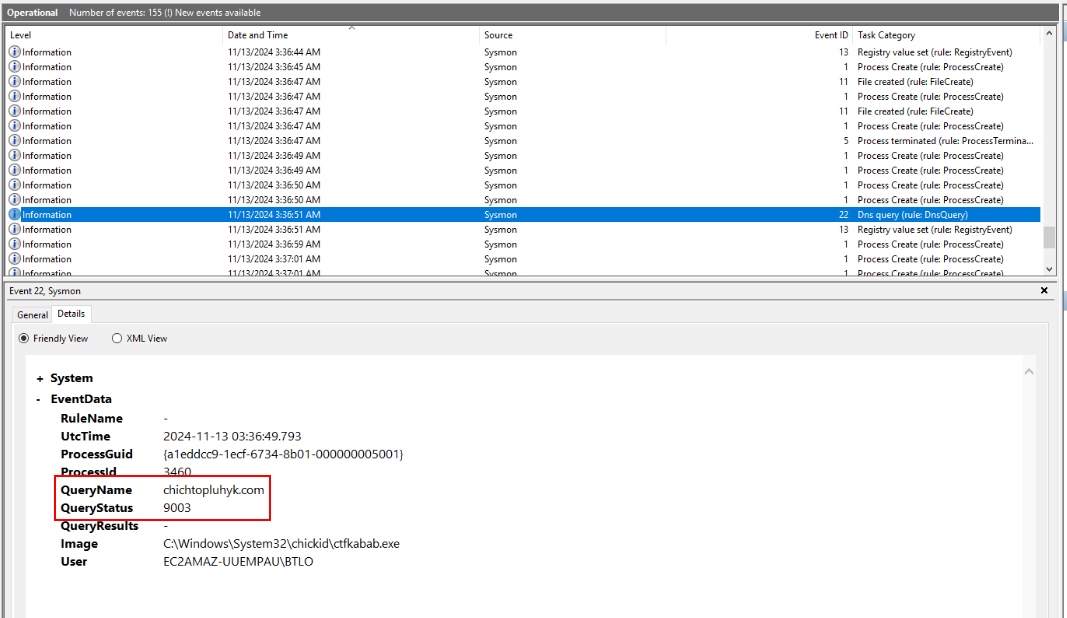
Then we will see what we are looking for on EventID 22 - DNSEvent (Q3) which was contacted by the executable file that dropped on C:\Windows\System32\chickid
Answer
chichtopluhyk.comQ3) What is the number of the Sysmon Event ID that helped to find the C2 domain? (Format: SysmonEventID)
Answer
22Q4) What is the location where a .bat files is created? (Format: C:\Path\To\Folder)
Answer
C:\Users\BTLOTest\AppData\Local\Temp\Q5) What is the name of the scheduled task created by the malware? (Format: ScheduledTaskName)
Answer
CTFMonitor_SecureStartUpQ6) What is the location chosen by the sample to maintain persistence? (Format: C:\Path\To\Persistence.ext)
Answer
C:\Windows\system32\chickid\ctfkabab.exeQ7) Find and submit the File Version and File Description of the malware (Format: FileVersion, Description)
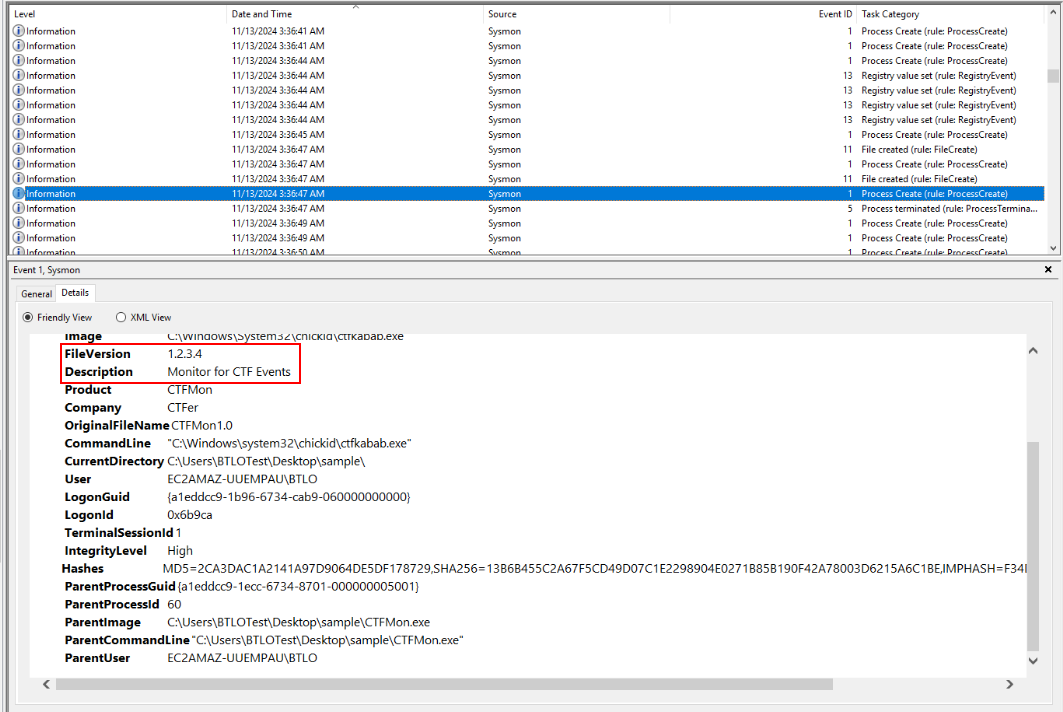
To find out about this, we can take a look at EventID 1 of ctfkabab.exe which we can see both file version and file description including original filename and company (Q8) of this executable from this event as well
Answer
1.2.3.4, Monitor for CTF EventsQ8) Find and submit theOriginalFileName and Company properties of the sample (Format: OriginalFileName, Company)
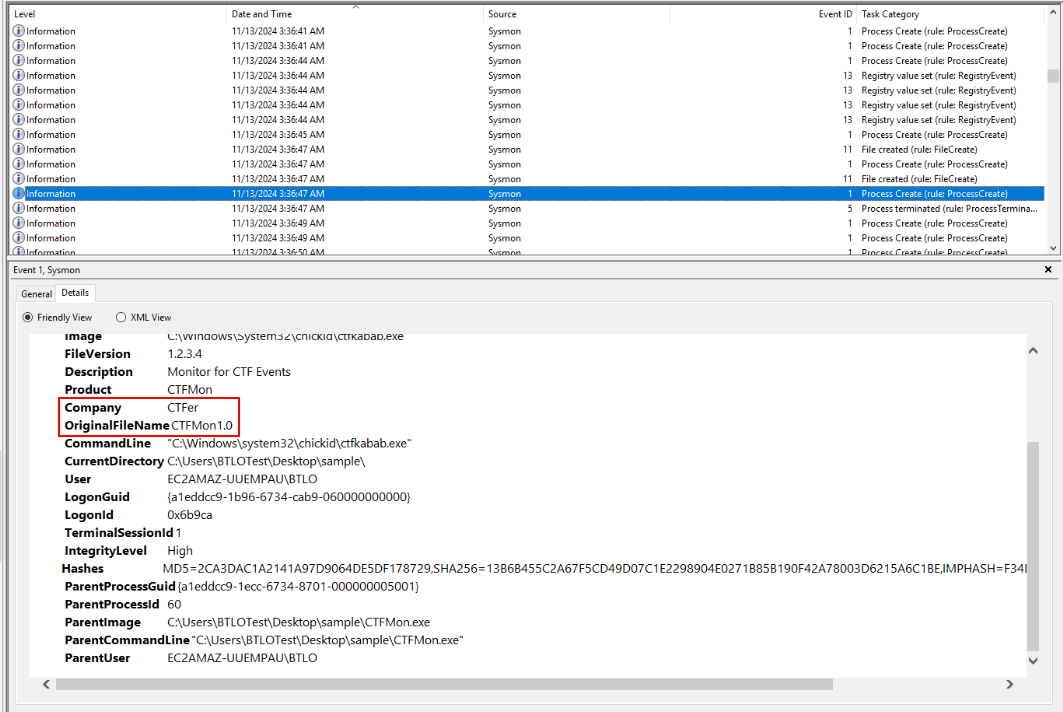
Answer
CTFMon1.0, CTFerQ9) Find and submit the Copyright property set by the malware author for the provided sample (Format: Copyright Text)
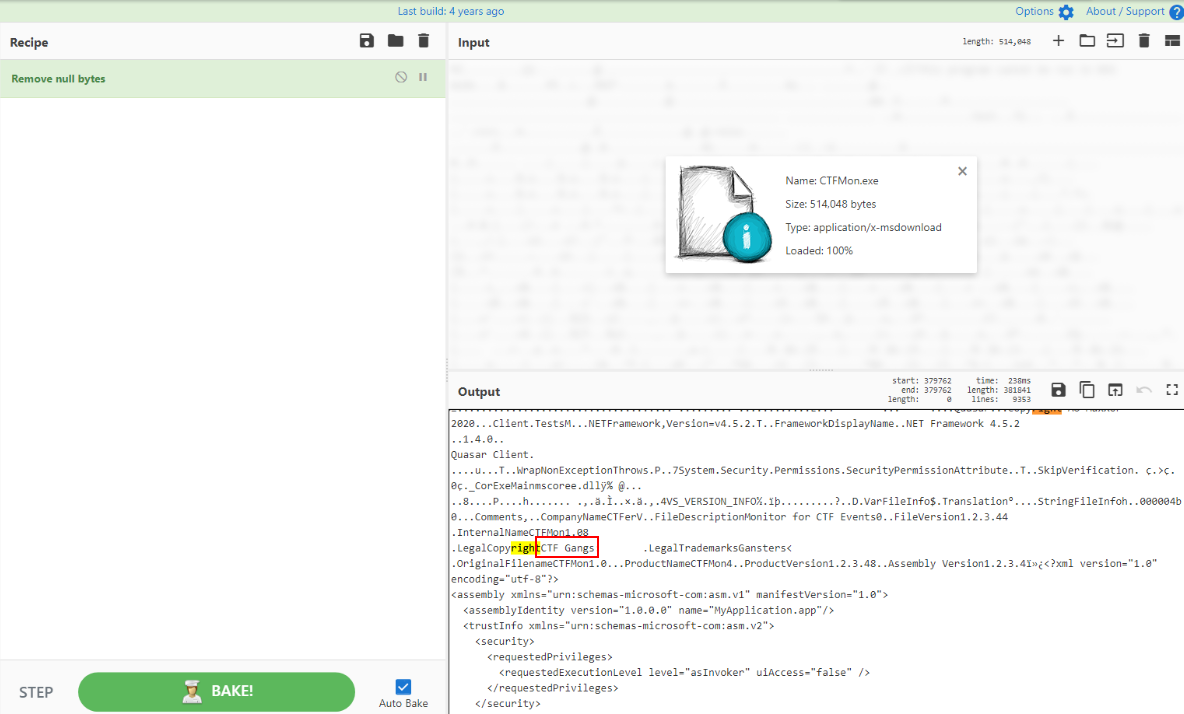
To find this, I opened an executable file on CyberChef to find any string close to the string "Copyright" which we can see that this method worked out well since PE executable might also stores this information while its being compiled.
Answer
CTF GangsQ10) When running the created bat file, what string is echoed to the console? (Format: string)
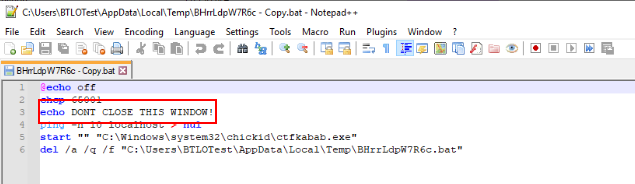
Go to User temp folder to find bat script then we can see that it will echo "DONT CLOSE THIS WINDOWS!" before execute ctfkabab.exe and delete itself from this system.
Answer
DONT CLOSE THIS WINDOW! https://blueteamlabs.online/achievement/share/52929/91